
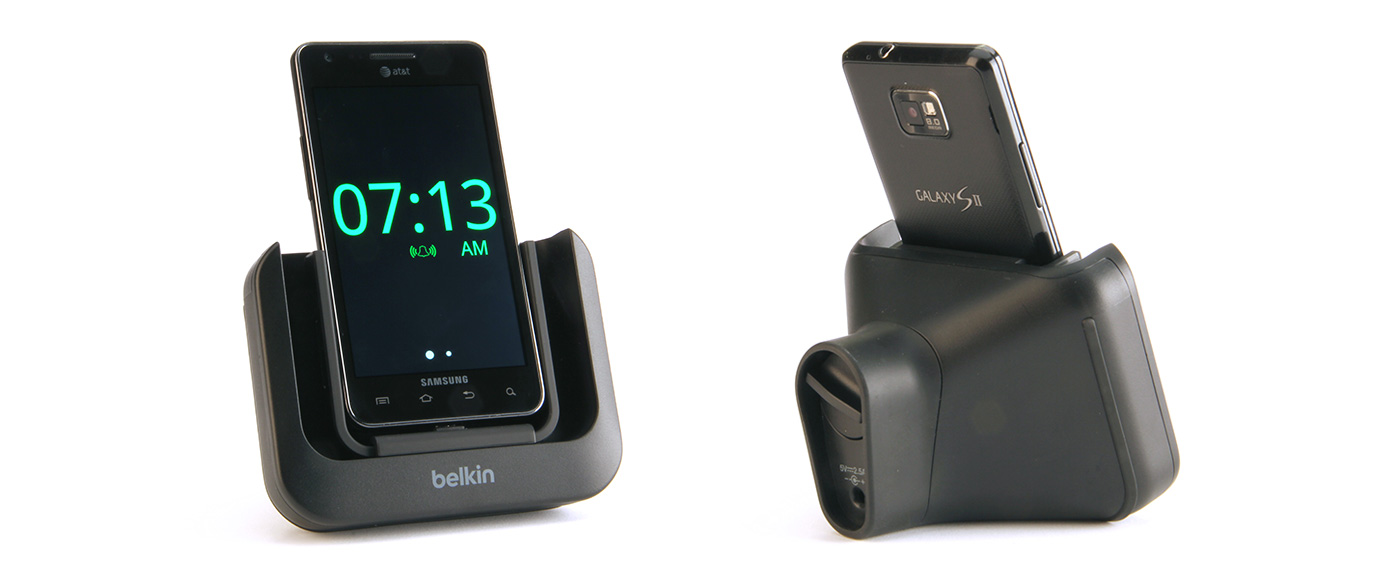
Belkin Samsung Touch-Free Alarm
Designing a low-attention wake-up
experience through hardware and
interaction
Belkin International, 2012
UX Design Interaction Design
Hardware + Software
Research
Concept Design Physical Prototyping


Users are expected to perform precise touch actions while half-conscious—often missing targets, silencing alarms unintentionally, or struggling to engage with the interface at all.
This project explores how interaction design can adapt to the user’s state, rather than requiring the user to adapt to the interface. This proposed phone dock features an invisble capacitive sensor at its base. A custom Android alarm app works in conjunction with this dock; when the alarm rings, the sleepy user can activate the snooze function by simply waving their hand in front of the dock. The capacitive sensor detects the hand and temporarily silences the alarm.
Replace precision with proximity
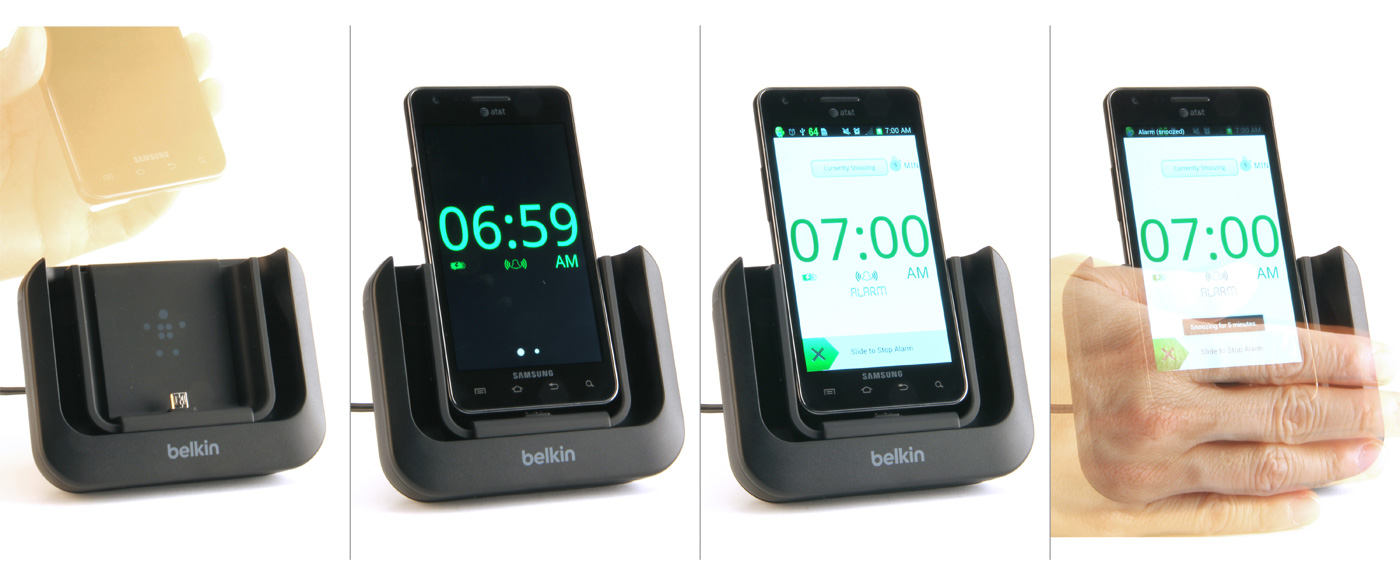
A capacitive sensor embedded in the dock allows users to snooze the alarm with a simple hand wave, eliminating the need for precise on-screen touch input.
Designing for physical interaction
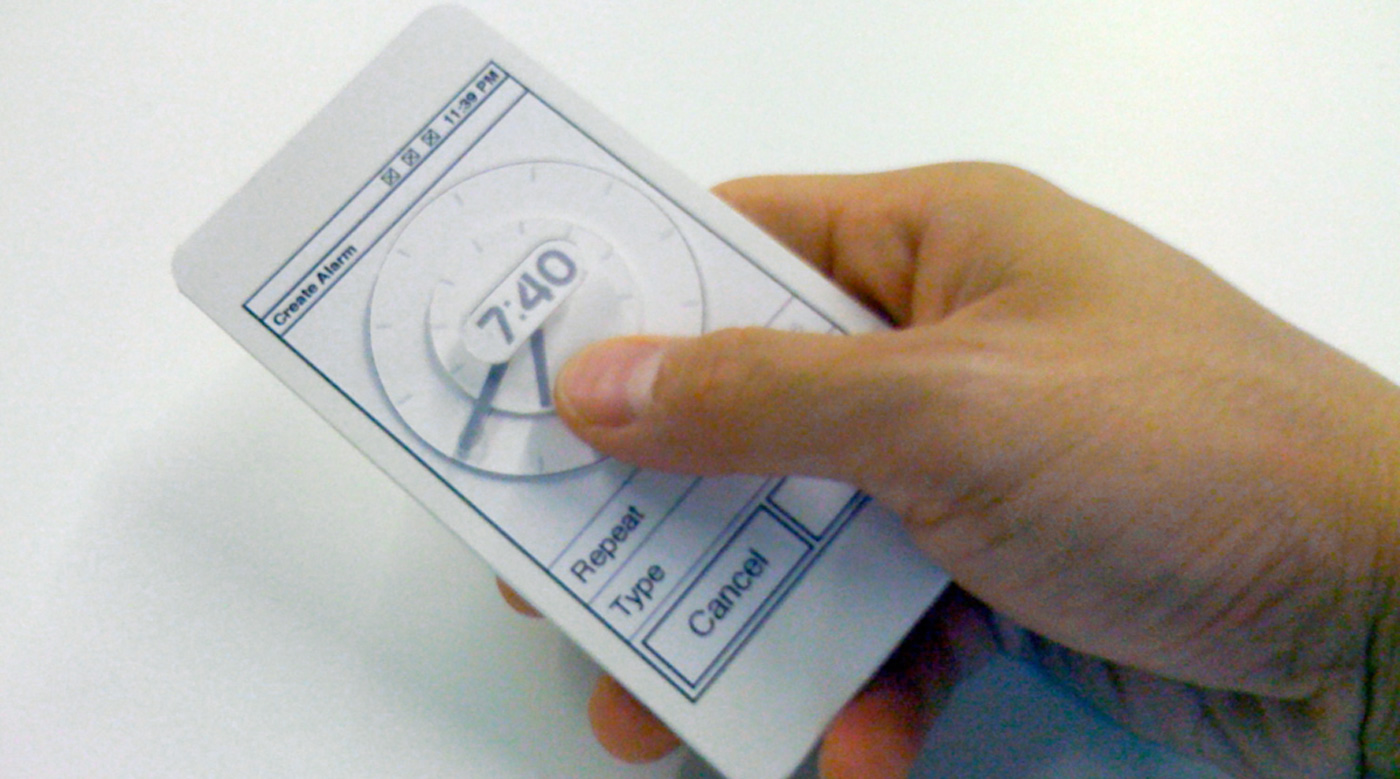
How does it feel in the hand? Foamcore model to test physical usability and ergonomics of a possible analog clock interface for setting the alarm time.
What are the possibilities for using a smartphone as an alarm clock?
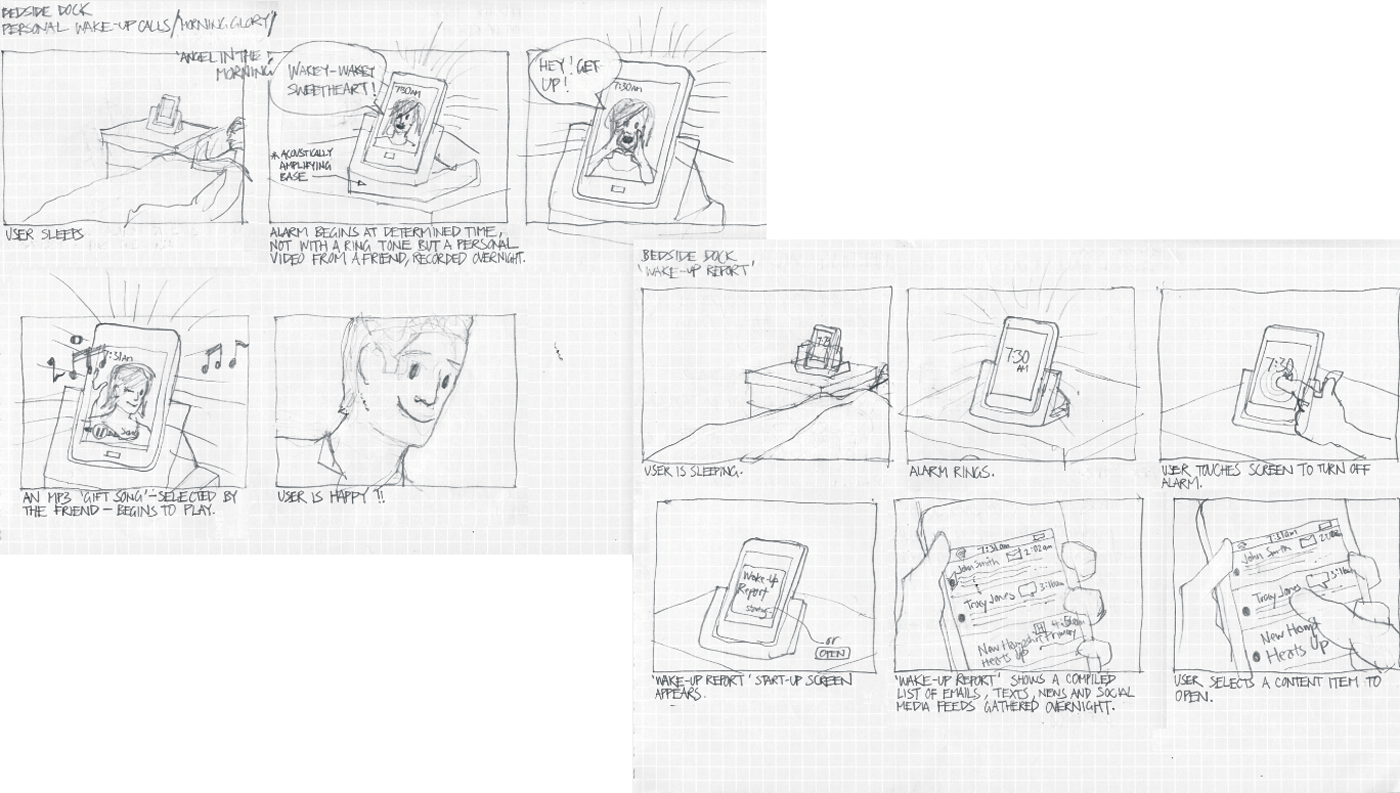
Exploring interaction scenarios: early concepts mapped the transition from sleep to wake, identifying opportunities to reduce friction and cognitive load.
Interaction model & system behavior
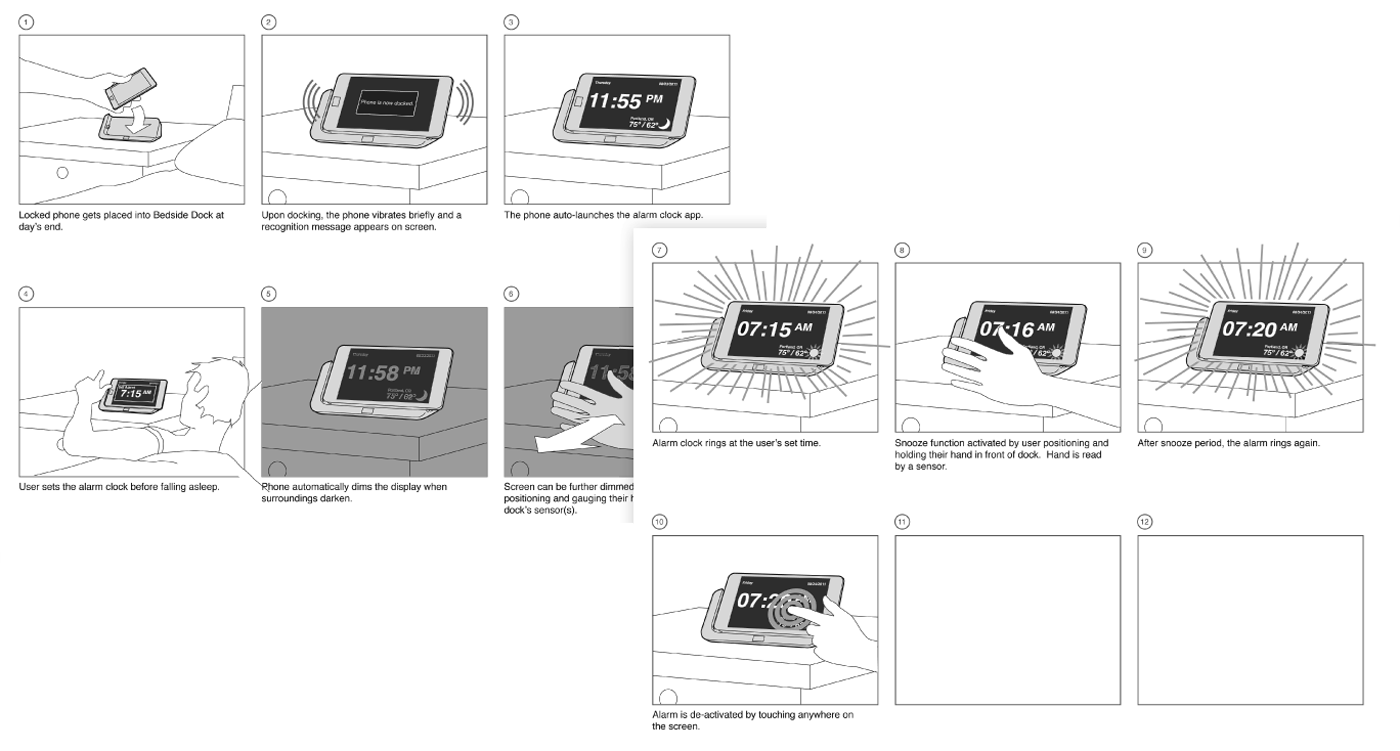
More-refined storyboards showing interaction decisions forming this touch-free smartphone alarm experience. State changes are shown at various moments, eg. when the phone is docked, when the alarm rings, when the user positions their hand in proximity to the dock's sensor to activate snooze state.
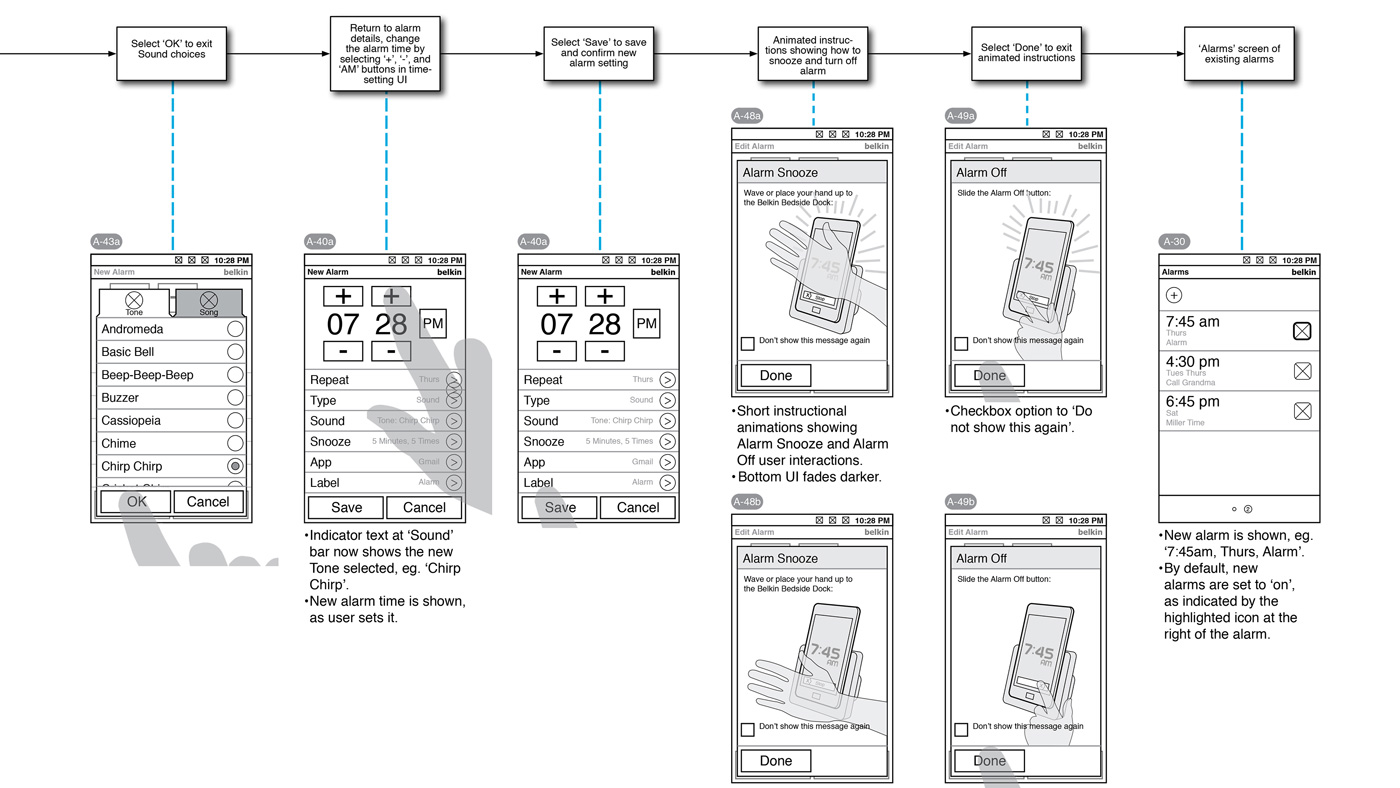
UX spec document for setting alarm sound and time, and on-boarding animation.
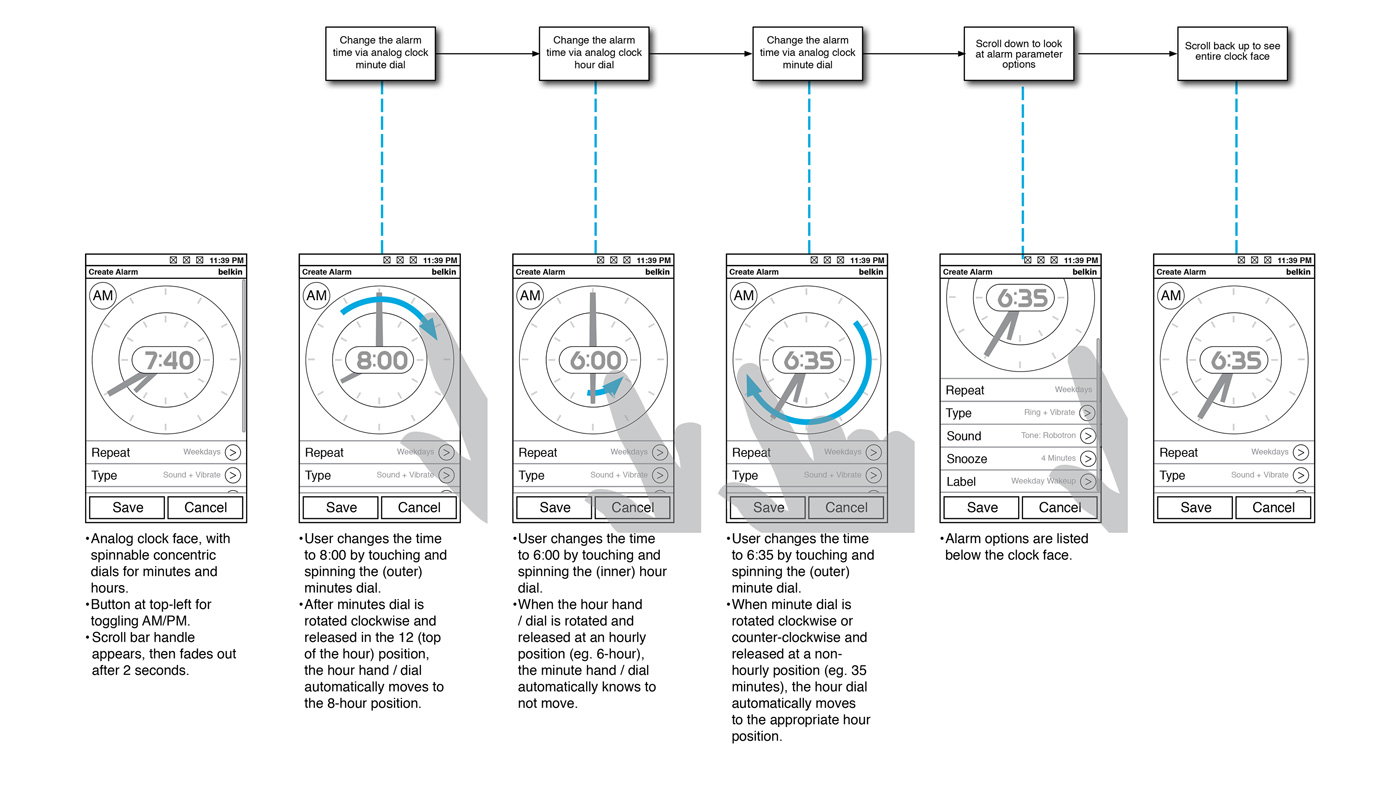
UX spec document for setting alarm time (alternate analog clock interface).
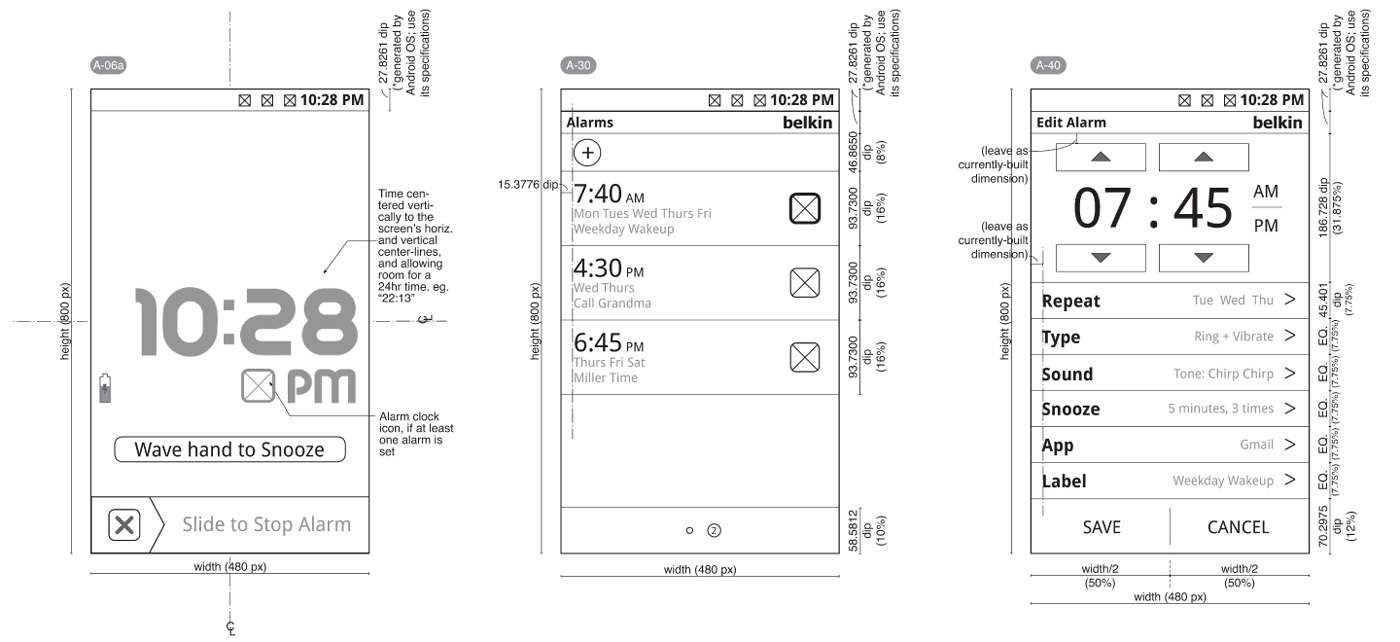
UI spec document for individual screens.
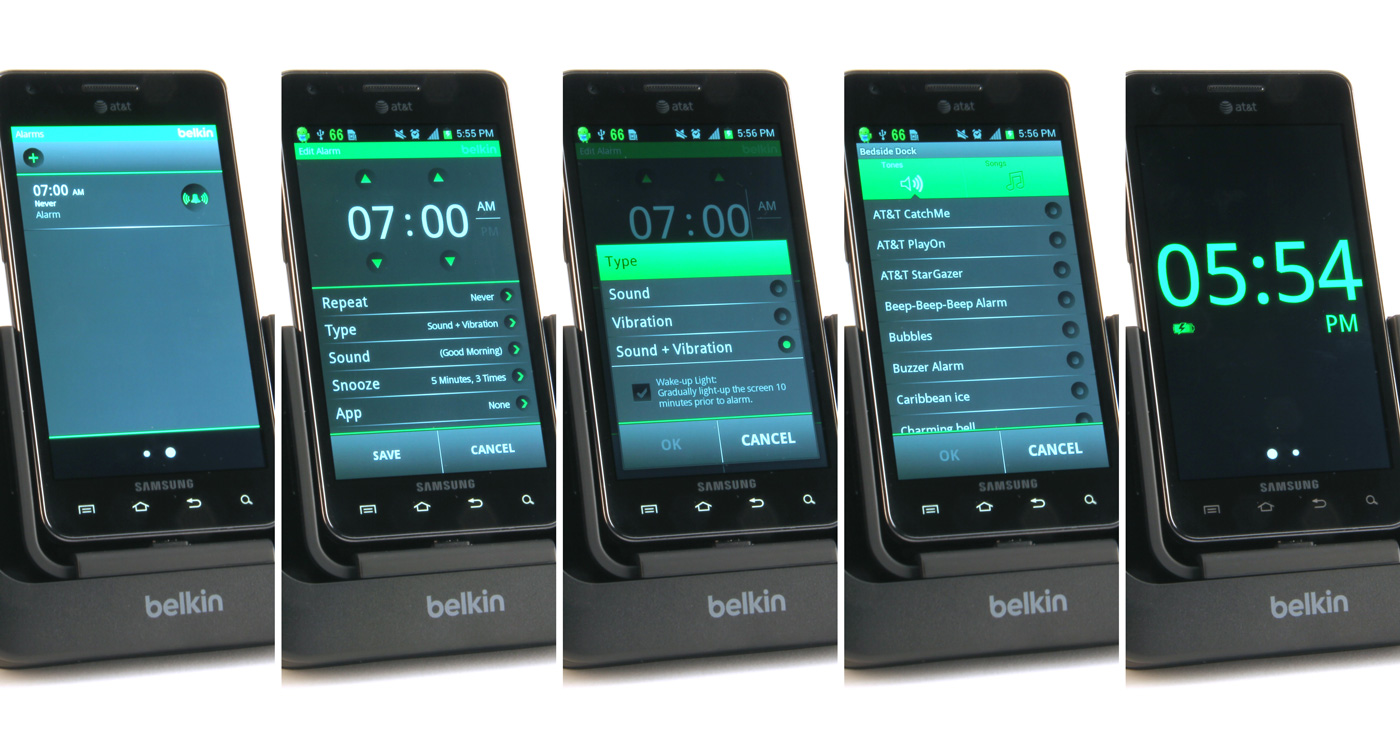
Phone showing UI screens in app prototype. (Screens created by separate UI designer and programmer, from UX designer's spec document)